
How to Request a Quote
We've updated the experience for our customers. Submitting a quote has never been easier.
Guests - you're new here!
Feel free to submit a quote request without an account.
Personal Accounts
Use your existing account to send a quote request to our sales team.
Business Accounts
Get approved for credit terms and use your account to send a quote request to our sales team.
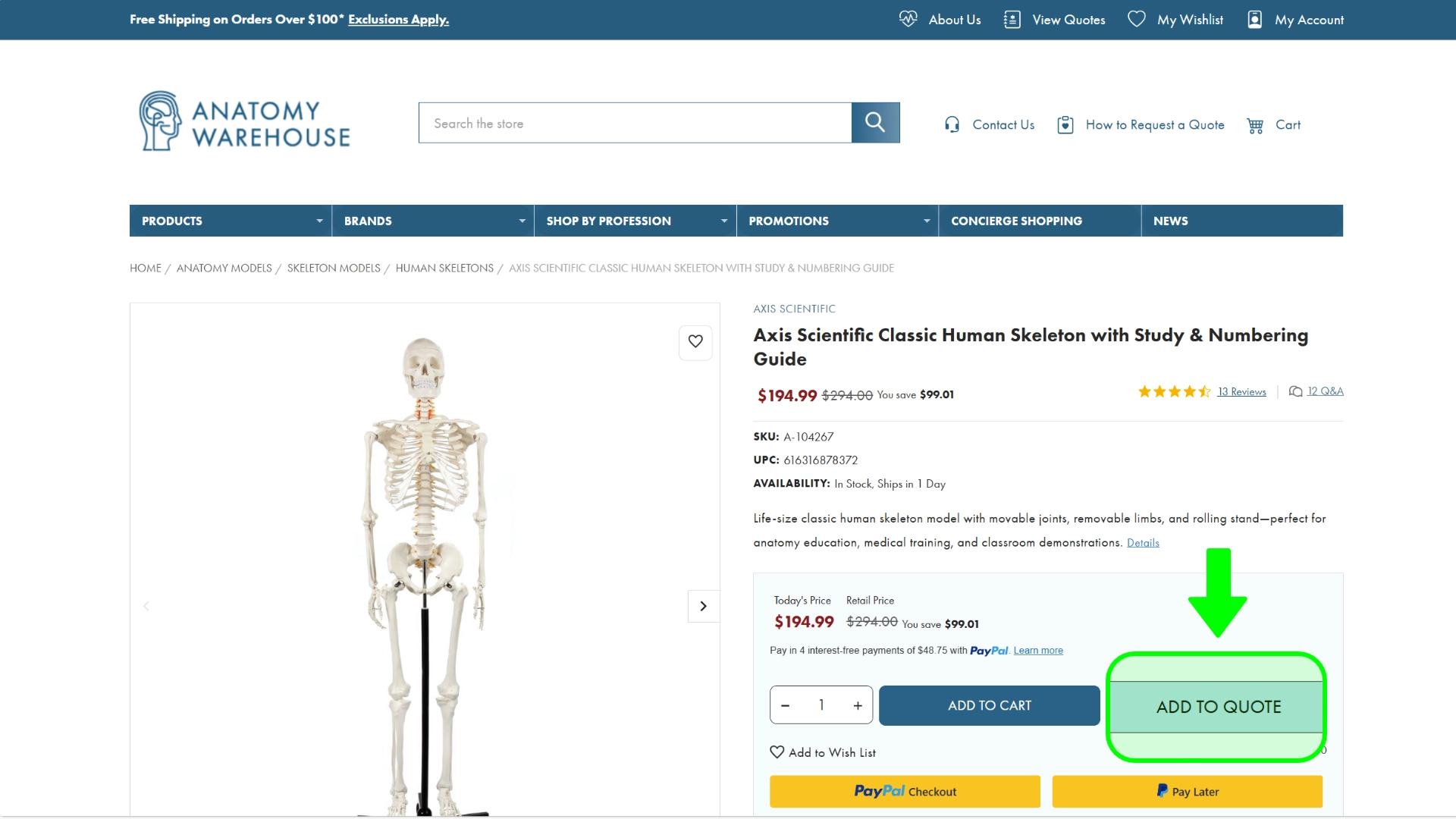
1. Add Items to Your Quote
On any product page, just click the “Add to Quote” button. This will save the item to your Quote Cart — it works just like a shopping cart but for quote requests.
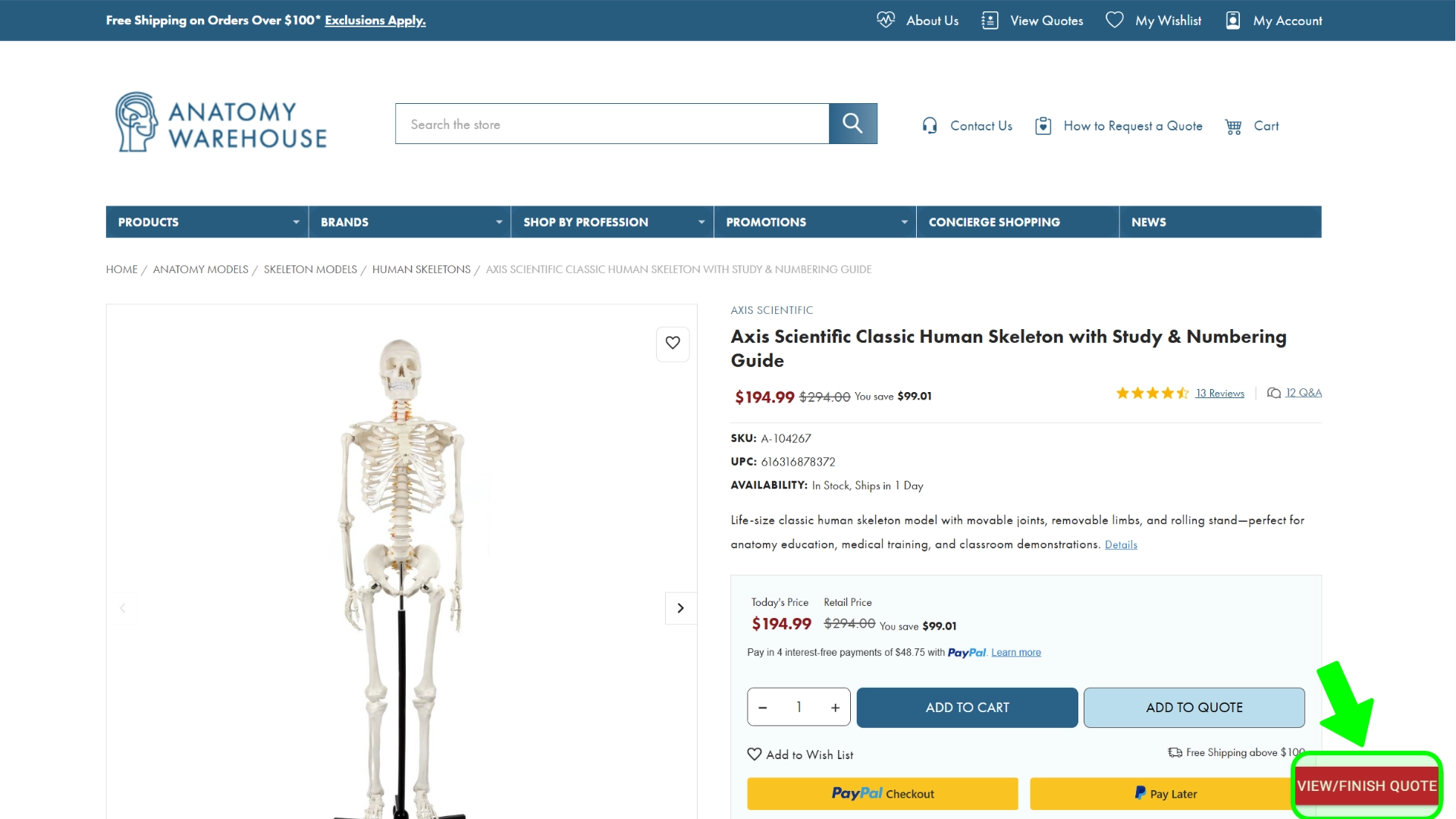
2. Add Additional Products
Need quotes for more than one item? Keep browsing and use the “Add to Quote” button on any other products you’re considering. Your Quote Cart will keep everything organized as you go. Once you're ready to review, click on the red button to view your Quote Cart.
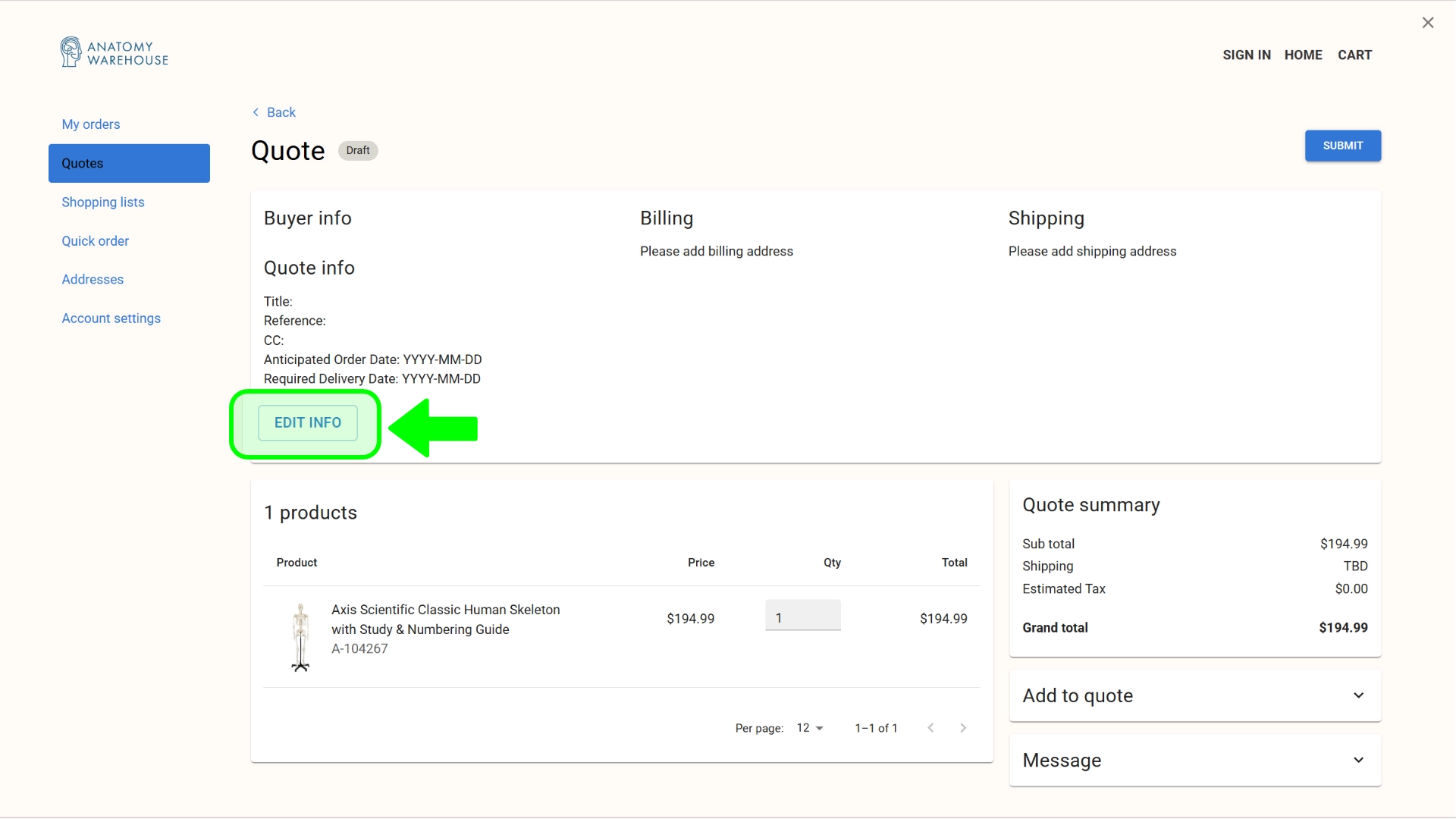
3. Enter your contact information.
When you're done adding items to your quote, we need to know about you and where you are shipping your items. Click on the "Edit Info" button and enter the information requested.
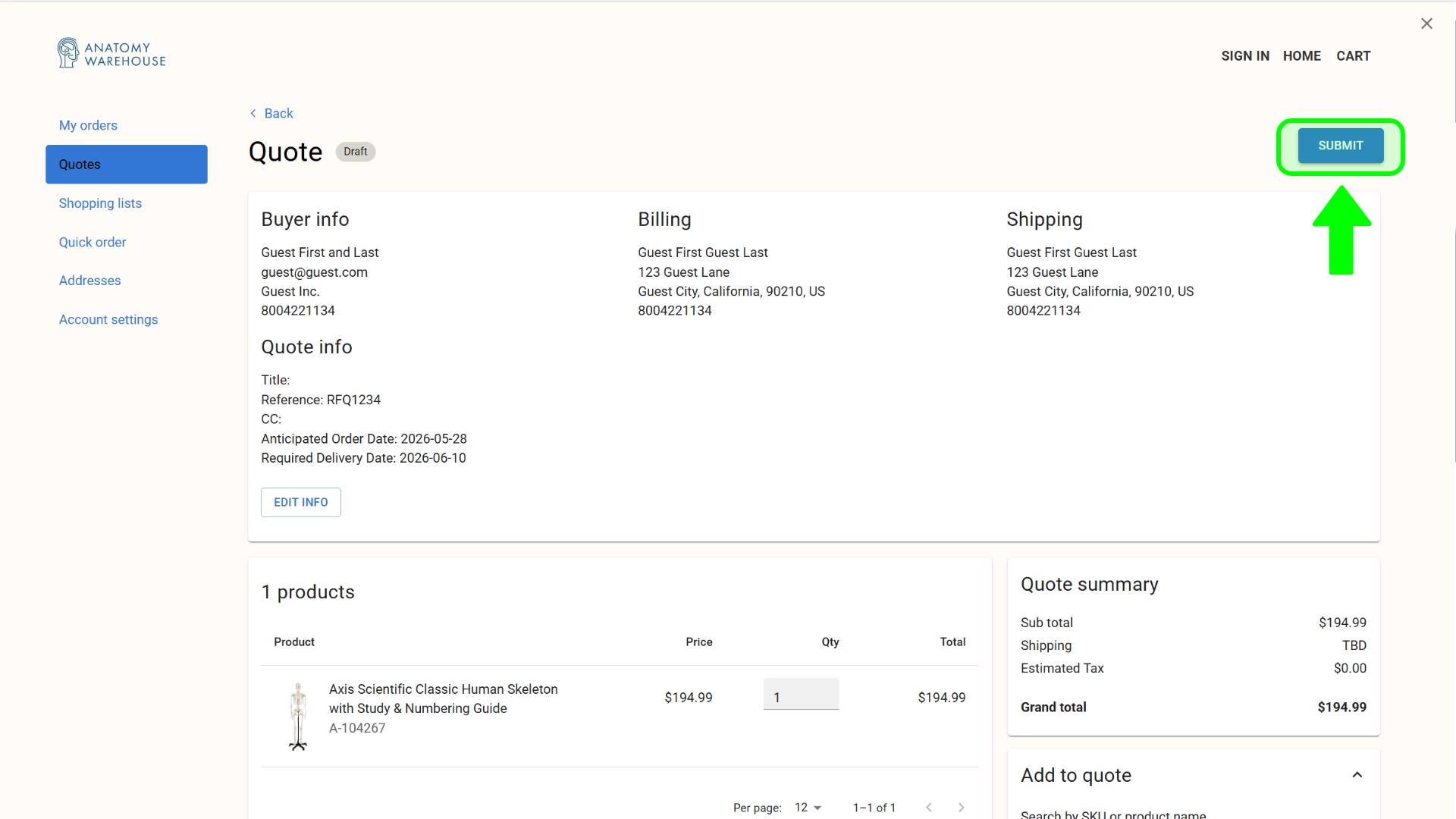
Review your quote and submit.
Review your quote, you can increase quantiites, add more items, everything will be saved to your account until you are ready to submit your quote to our sales team.
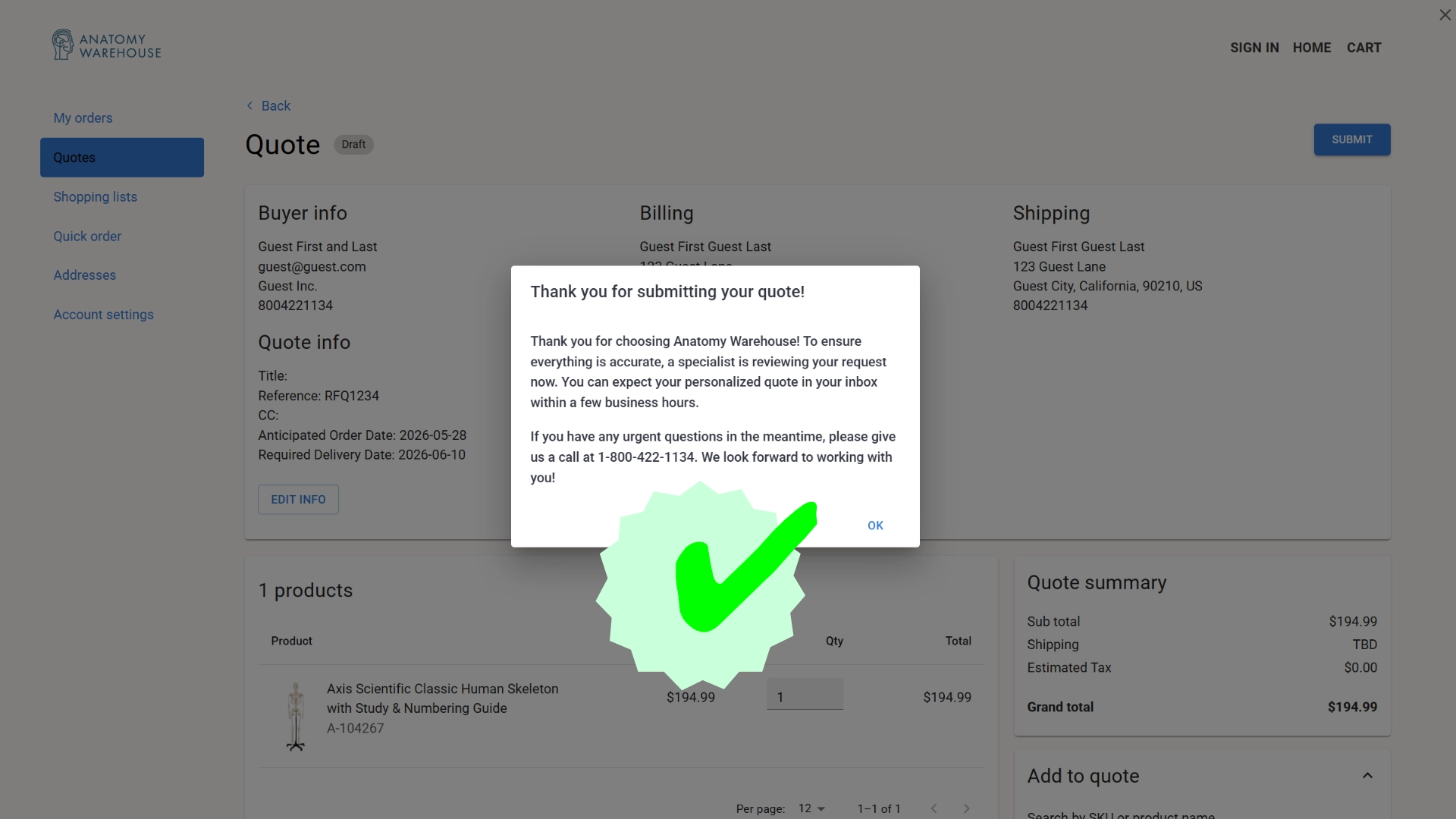
5. Quote Submitted!
Your request will be sent to our Sales Team. In most cases, you'll receive a response within one business hour of submission. Feel free to give us a call at 800-422-1134 if you need to expedite your request.
1. Add Items to Your Quote
On any product page, just click the “Add to Quote” button. This will save the item to your Quote Cart — it works just like a shopping cart but for quote requests.
2. Add Additional Products
Need quotes for more than one item? Keep browsing and use the “Add to Quote” button on any other products you’re considering. Your Quote Cart will keep everything organized as you go. Once you're ready to review, click on the red button to view your Quote Cart.
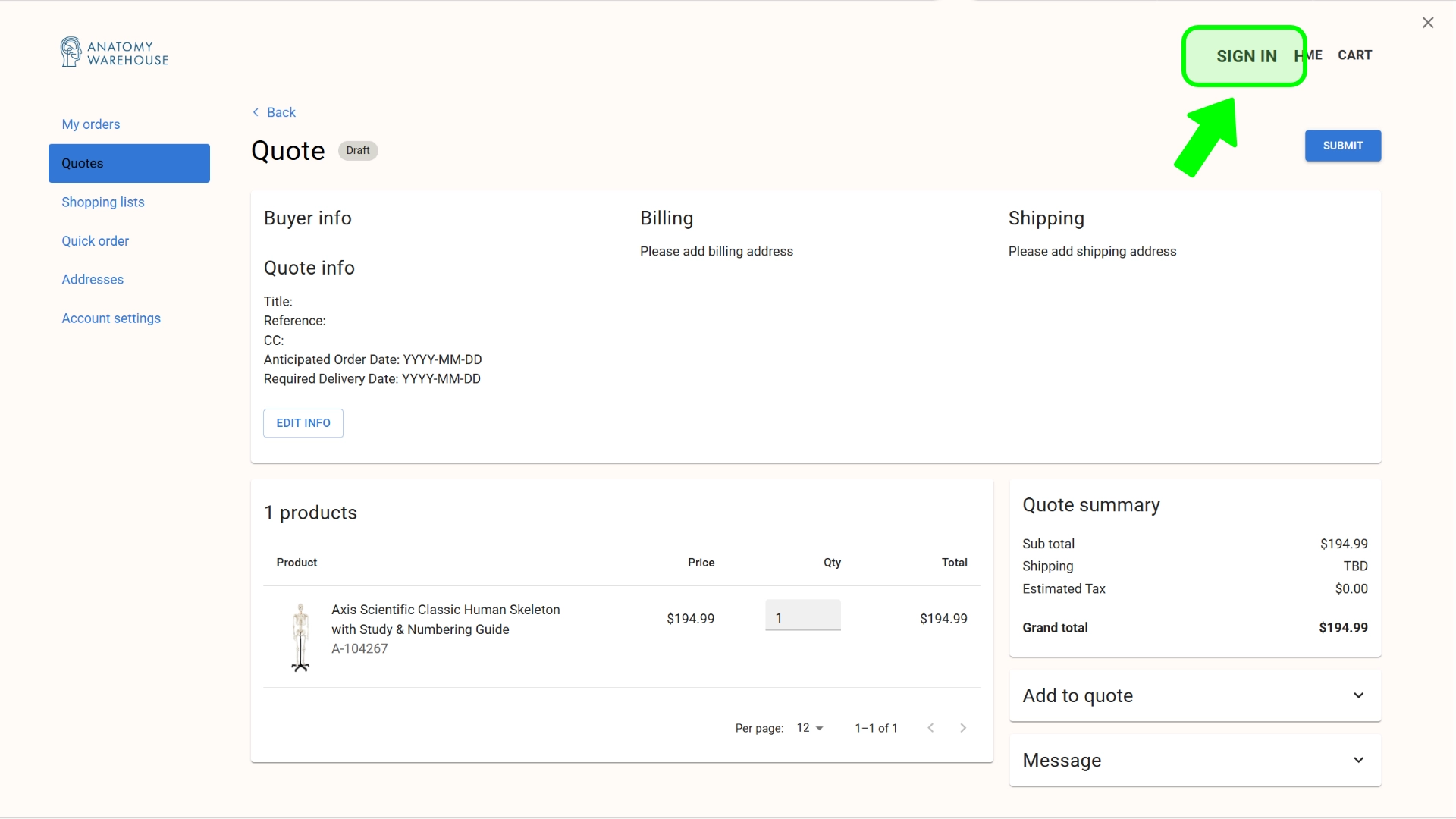
3. Sign in to your personal account.
Sign into your existing account to manage your quotes, orders, and more. Your billing and shipping information should be available to populate the information in your quote.
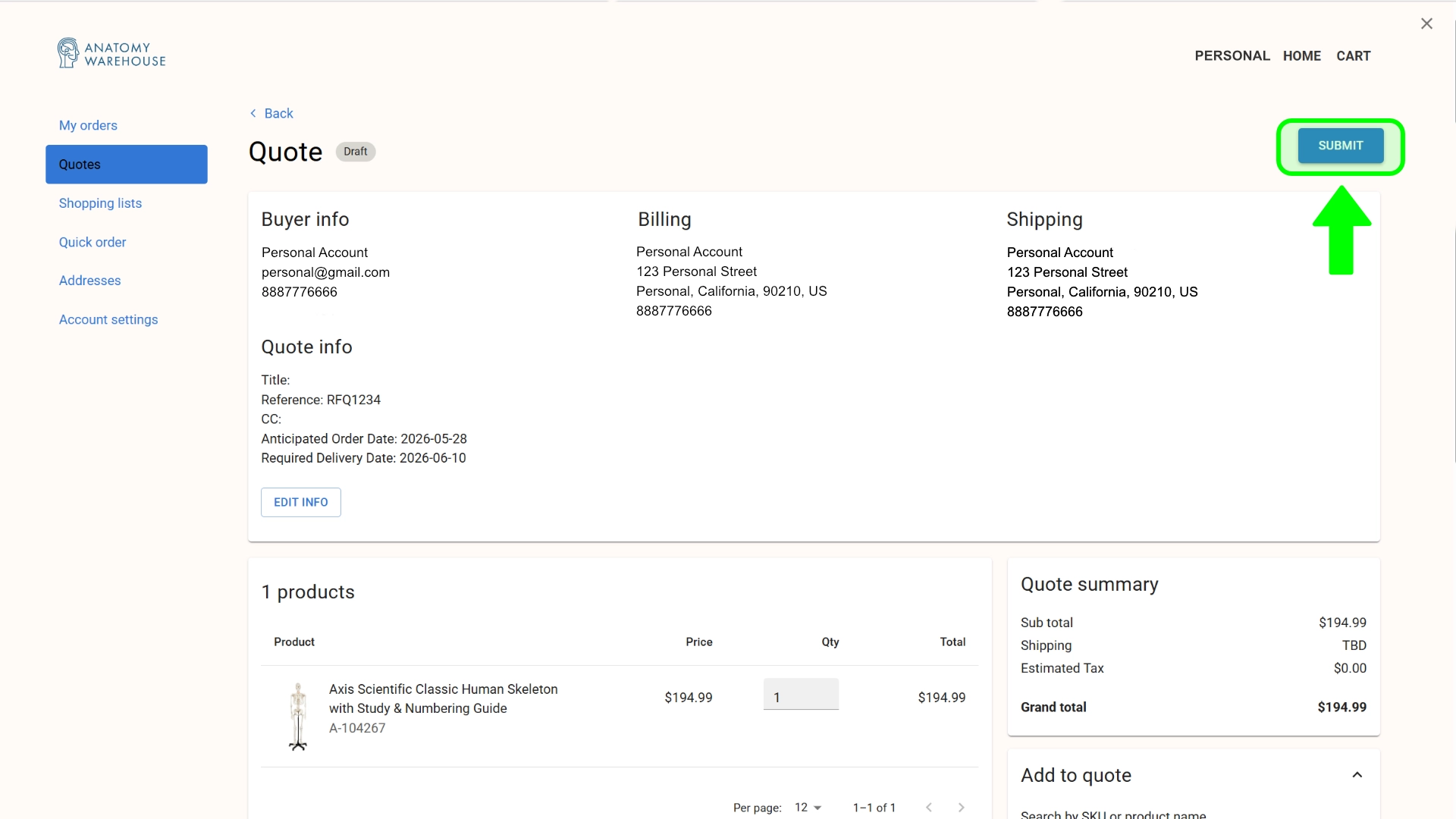
4. Review your quote and submit.
Review your quote, you can increase quantiites, add more items, everything will be saved to your account until you are ready to submit your quote to our sales team.
5. Quote Submitted!
Your request will be sent to our Sales Team. In most cases, you'll receive a response within one business hour of submission. Feel free to give us a call at 800-422-1134 if you need to expedite your request.
1. Add Items to Your Quote
On any product page, just click the “Add to Quote” button. This will save the item to your Quote Cart — it works just like a shopping cart but for quote requests.
2. Add Additional Products
Need quotes for more than one item? Keep browsing and use the “Add to Quote” button on any other products you’re considering. Your Quote Cart will keep everything organized as you go. Once you're ready to review, click on the red button to view your Quote Cart.
3. Sign in to your business account.
Sign into your existing account to manage your quotes, orders, and more. Your billing and shipping information should be available to populate the information in your quote.
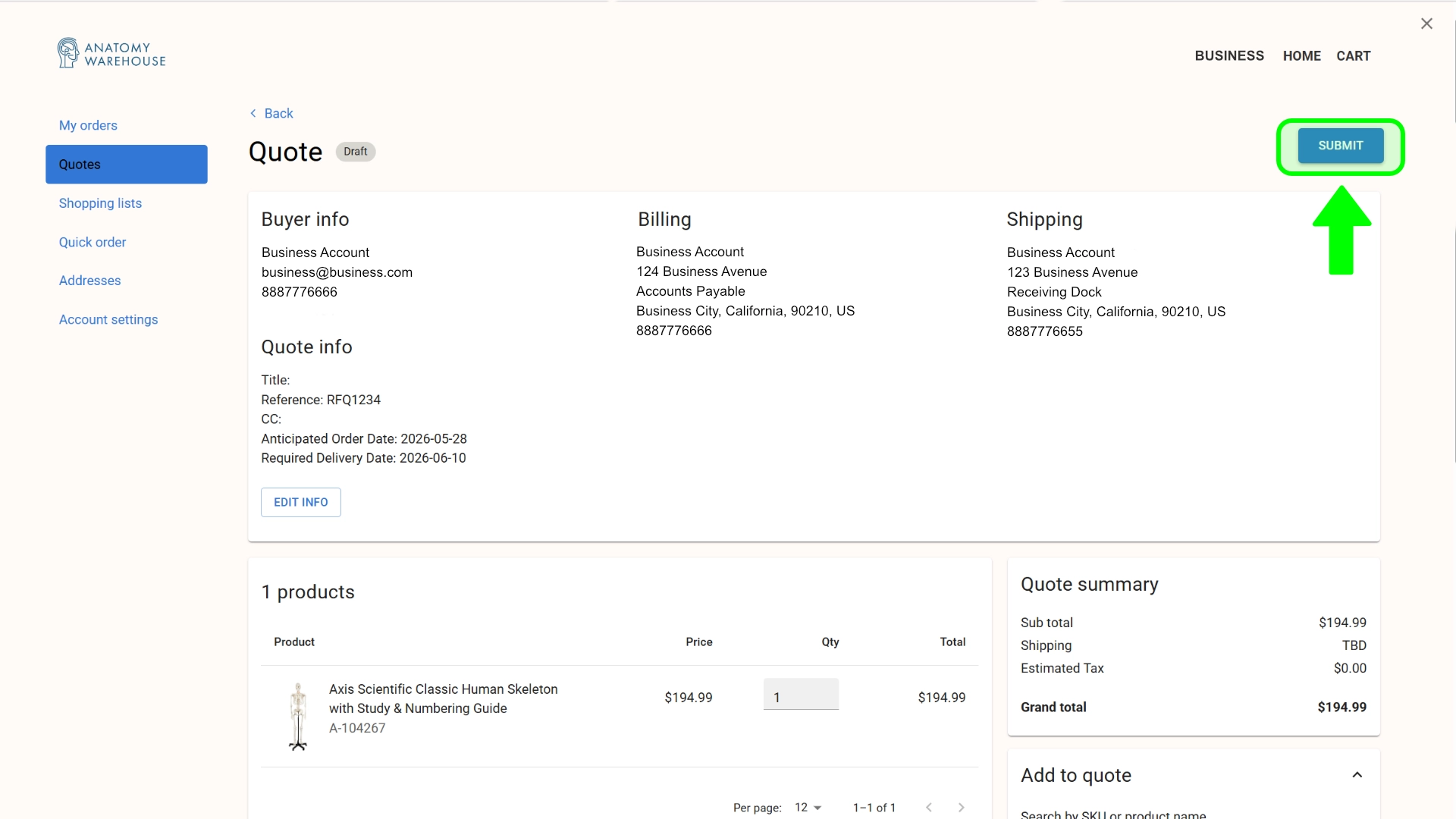
4. Review your quote and submit.
Review your quote, you can increase quantiites, add more items, everything will be saved to your account until you are ready to submit your quote to our sales team.
5. Quote Submitted!
Your request will be sent to our Sales Team. In most cases, you'll receive a response within one business hour of submission. Feel free to give us a call at 800-422-1134 if you need to expedite your request.
All of our quotes are supported by our Low Price Guarantee and in most cases, are valid for 30 days. Quote requests received during normal business hours are typically returned to you within one hour, or no more than 1 business day from the time we receive your request.
If you have any questions about the process, please don't hesitate to contact us! We look forward to the opportunity to serve you!